A missing mandatory field
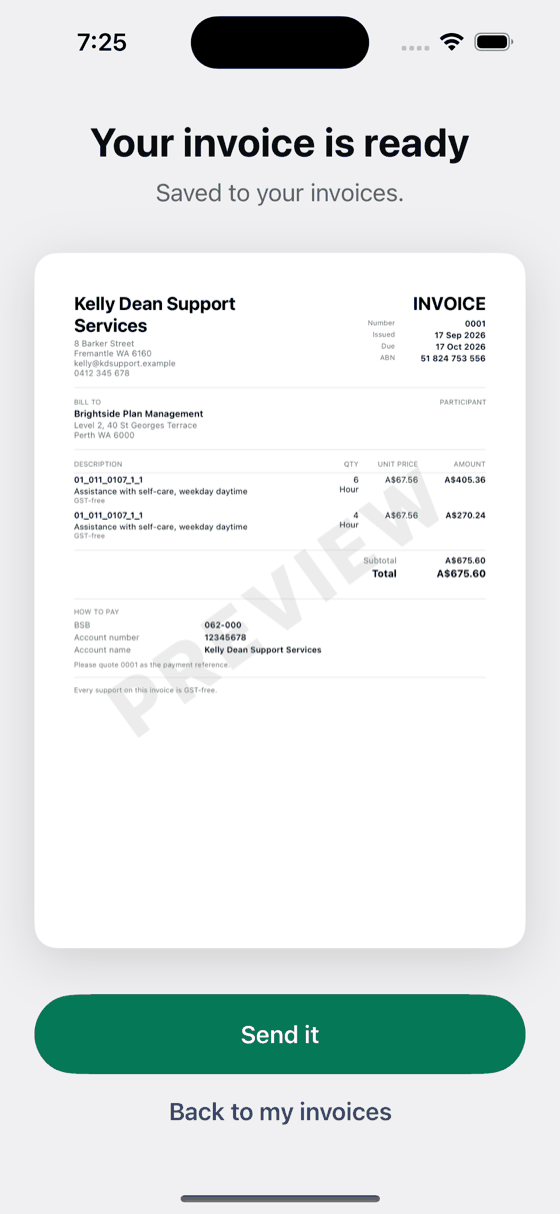
Participant name and number, your ABN, the dates of service, the hours, the support item: an NDIS invoice carries thirteen required pieces of information, and a plan manager pays the ones that carry all thirteen.
NDIS supports
Bily checks the thirteen mandatory fields, the support item number, the capped rate and the claiming window before it will let you send the invoice.
No account. No sign-up.
The problem
Participant name and number, your ABN, the dates of service, the hours, the support item: an NDIS invoice carries thirteen required pieces of information, and a plan manager pays the ones that carry all thirteen.
Support items have capped rates, and they move with each rate release and with the region. Invoice above the cap and the claim comes back, usually weeks later.
A support delivered more than ninety days ago falls outside the claiming window. If nobody spots it until the plan manager does, the work is unpaid.
What Bily does
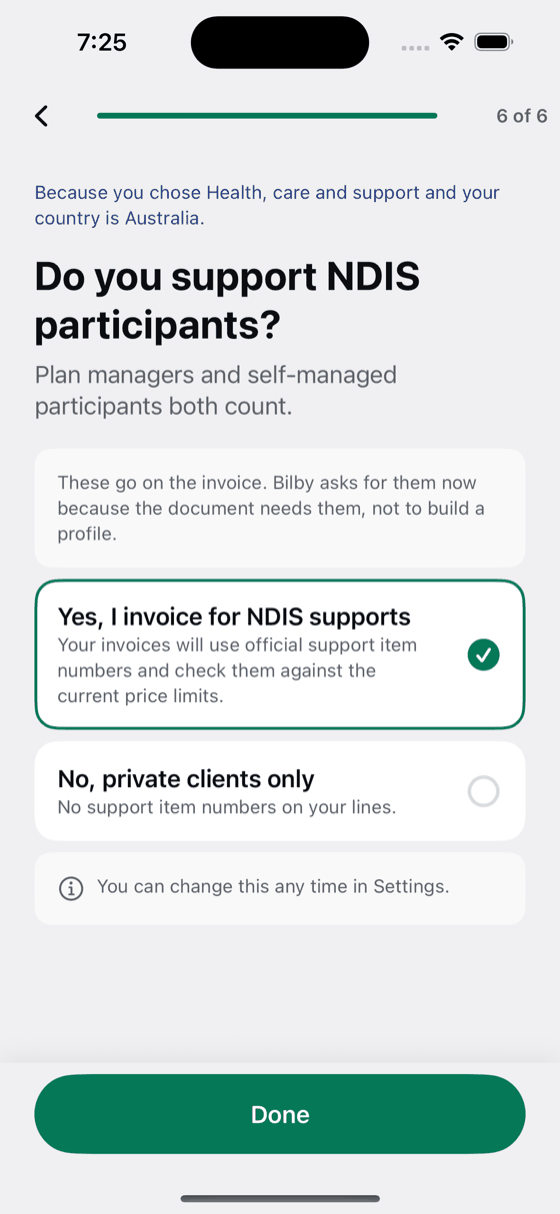
Bily asks once whether you invoice for NDIS supports. After that every invoice is checked before it leaves your phone.
Not affiliated with the National Disability Insurance Agency.
No account. No sign-up.