Bily

For solo trades and carers

Get paid faster. Invoice in a minute.

Write a proper invoice on your phone between shifts, with your NDIS support items and your ABN already in place.

Download on the App Store

No account. No sign-up.

  • Nothing to sign up for
  • Your invoices sync through your own iCloud
  • Thirteen NDIS fields checked before the invoice can go
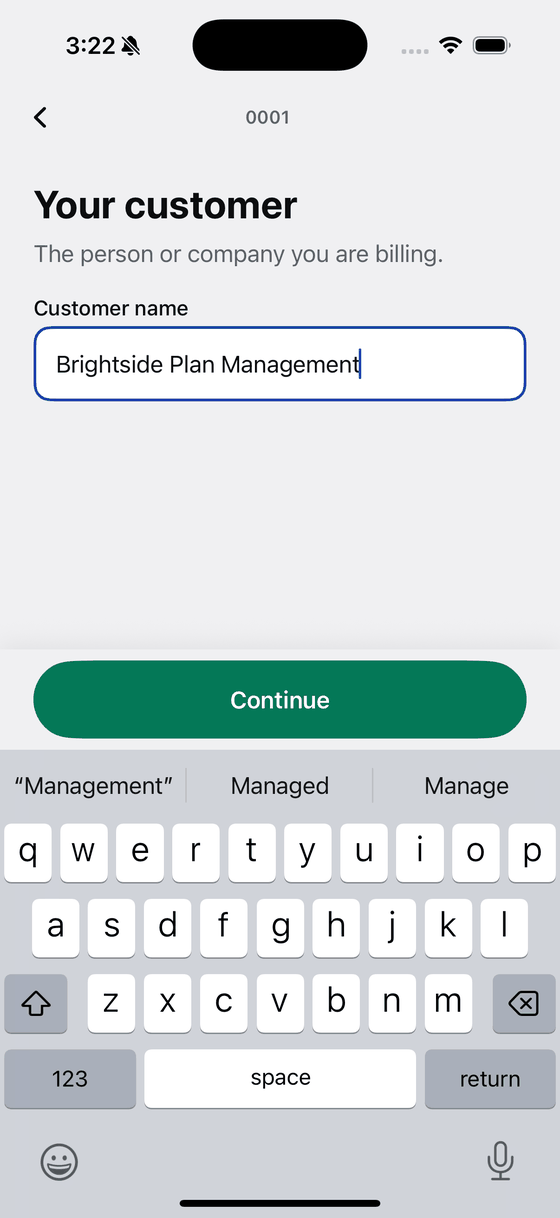
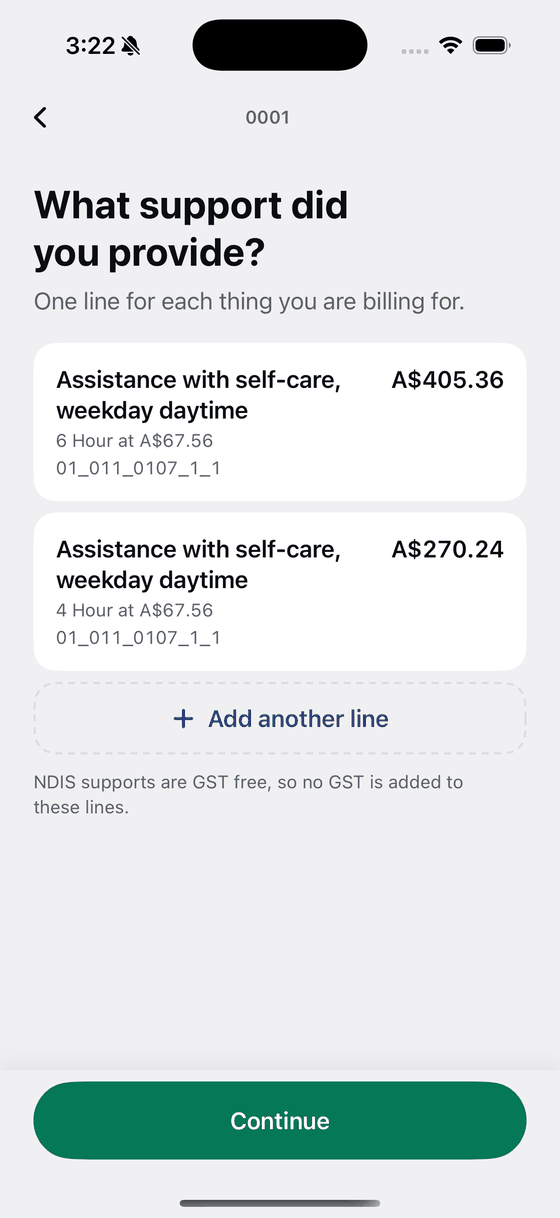
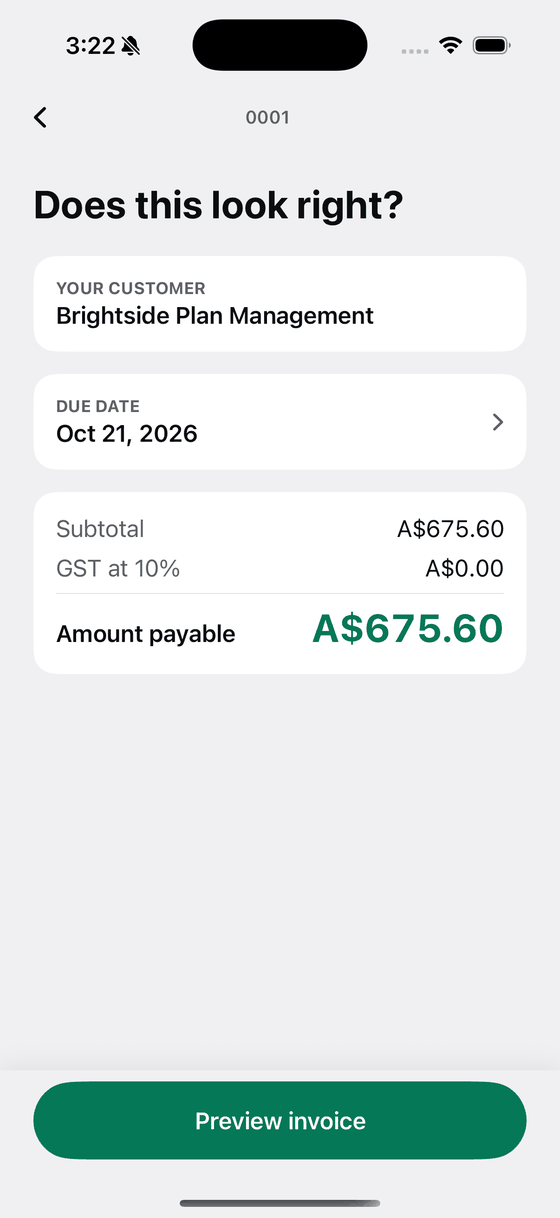
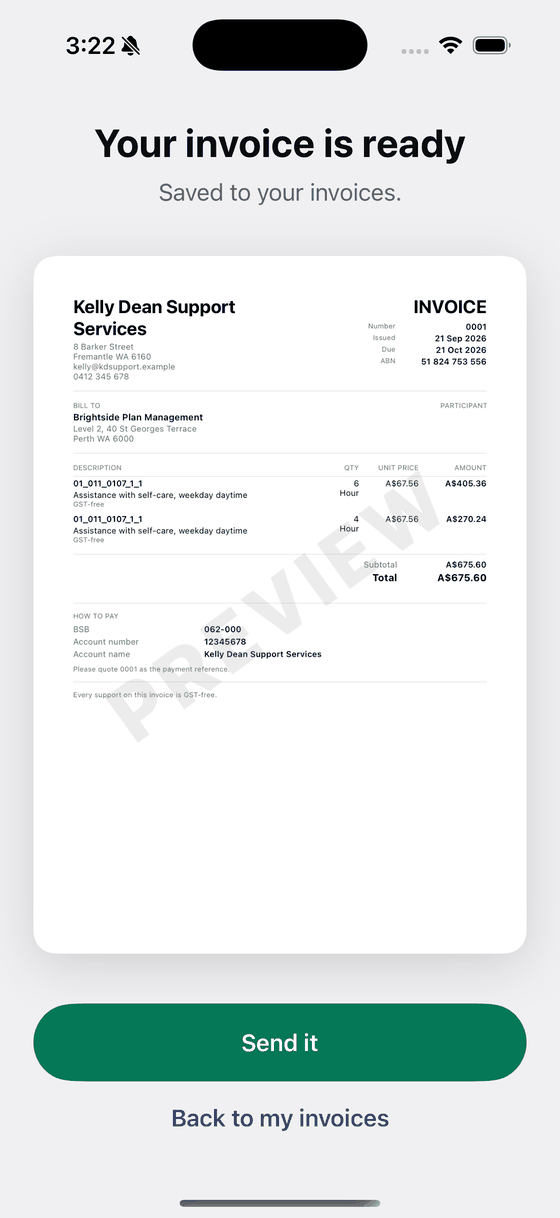
Bily asking for the customer name, with Brightside Plan Management typed in. Two invoice lines on a Bily screen, in Australian dollars. A Bily totals screen with the maths already done and the amount payable at the bottom. The finished Australian invoice on screen with a Send it button underneath.

The proof

This is what your customer gets.

A document that survives an accountant, a plan manager and a tax office.

Kelly Dean Support Services

8 Barker Street, Fremantle WA 6160
[email protected]
0412 345 678

INVOICE

Number
0001
Issued
17 Sep 2026
Due
17 Oct 2026
ABN
51 824 753 556

Bill to

Brightside Plan Management
Level 2, 40 St Georges Terrace, Perth WA 6000


Description Support item Qty Rate Amount
Assistance with self-care, weekday daytime 01_011_0107_1_1 6 A$67.56 A$405.36
Assistance with self-care, weekday daytime 01_011_0107_1_1 4 A$67.56 A$270.24
SubtotalA$675.60
TotalA$675.60

No GST applies to the supports on this invoice.


How to pay

BSB
062-000
Account number
12345678
Account name
Kelly Dean Support Services
PayID
[email protected]

Please quote 0001 as the payment reference.

Invoice 0001 of Kelly Dean Support Services
How it works

What you get on every job.

Under a minute, before you leave the shift.

Customer, what you did, what it cost. Bily numbers it, dates it, works out the tax and hands you a finished PDF.

  • One line per support item, with its code and its unit on the document
  • Invoice numbers that count themselves
  • Saves itself as you type
  • Estimates and receipts as well as invoices, out of the same editor
  • Your logo at the top of every document
Adding invoice lines in Bily, in Australian dollars.

GST, your ABN and your NDIS items, already on the document.

Your ABN, your GST and your NDIS support items are on the document from the first invoice.

  • GST at your rate, with your ABN in the header
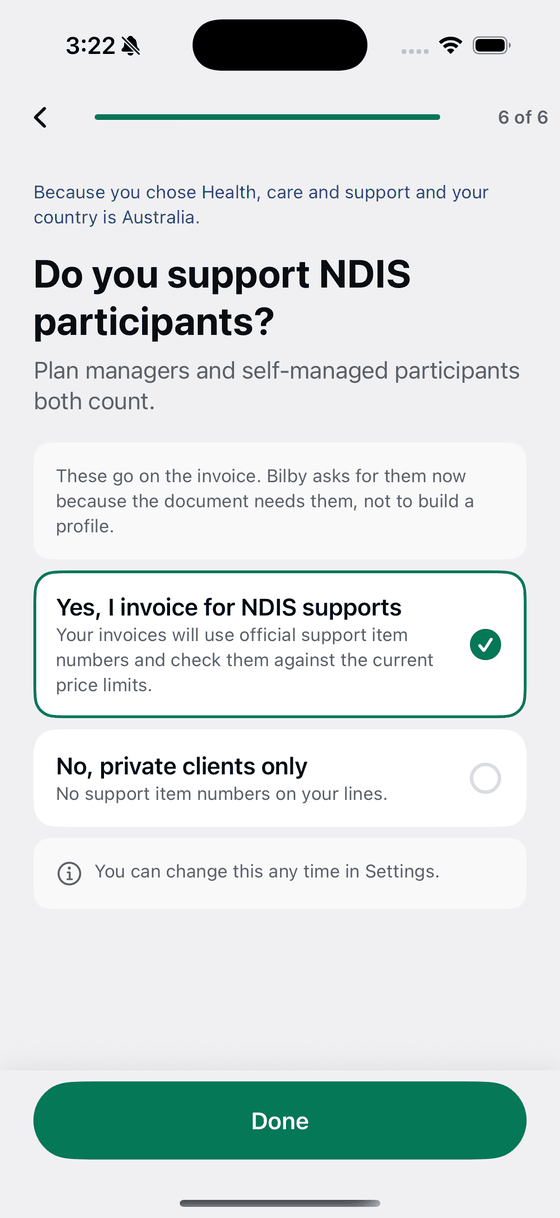
  • NDIS support item numbers straight from the national support catalogue
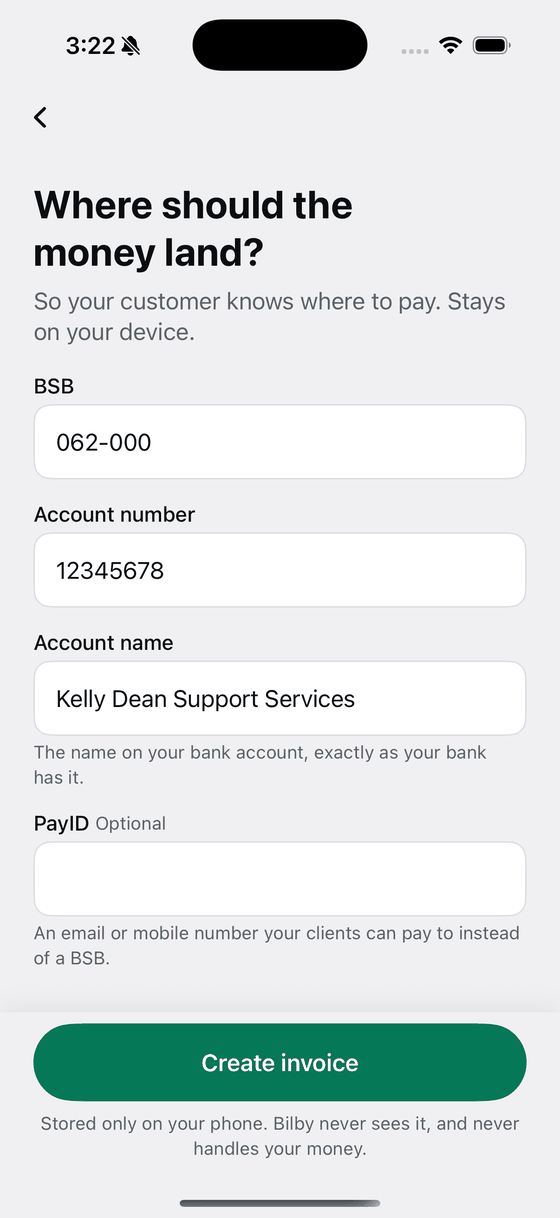
  • BSB, account number and PayID in the payment block
Bily asking do you invoice for NDIS supports, with yes selected.

Your data, your iCloud, your business.

No account, no password, nothing to log in to. Your invoices are yours, on your own devices and in your own iCloud, and Bily never handles your money.

  • No email address asked for, ever
  • Your BSB, account number and PayID go on the invoice, and stay yours
  • Your documents reach your new phone on their own
Bily asking where the money should land, with the Australian bank fields filled in.

Made for where you work

NDIS invoices that clear first time.

NDIS

The fields an Australian invoice is expected to carry

  • All thirteen mandatory fields checked before the invoice can go
  • Official support item numbers, the capped rate for each one, and the ninety day claiming window
How Bily handles NDIS

Questions

Before you download.

How does my customer pay me?

Your own bank details go on the invoice, so your customer pays you directly by bank transfer, which is how almost every trade in Australia already gets paid. No card fees, no holding period, no third party between you and your money.

Will my accountant accept it?

Bily puts the fields an Australian invoice is expected to carry on the document, and for the NDIS it checks the thirteen mandatory fields before letting you send.

Can I use it on an iPad?

Yes. On an iPad Bily shows the list, the editor and the finished document side by side, updating as you type.

Invoice the shift before you drive home.

Download on the App Store

No account. No sign-up.